
ECCE funding
Set up your ECCE programme year, enrol children, and let it flow through to their plans.
The Early Childhood Care and Education (ECCE) programme provides free pre-school places. Setting it up in Meadow has two parts: first you tell Meadow when your programme year runs, then you enrol each eligible child. Once both are done, the funding flows through to each child's booking plan on its own — there's nothing to tag or attach by hand.
Both parts are for Owners and Managers.
Part 1 — Set up the programme year
Your ECCE programme year lives alongside your other calendars, in School settings → Calendar (the Attendance schedules page). You create an ECCE schedule and then paint the weeks the programme runs.
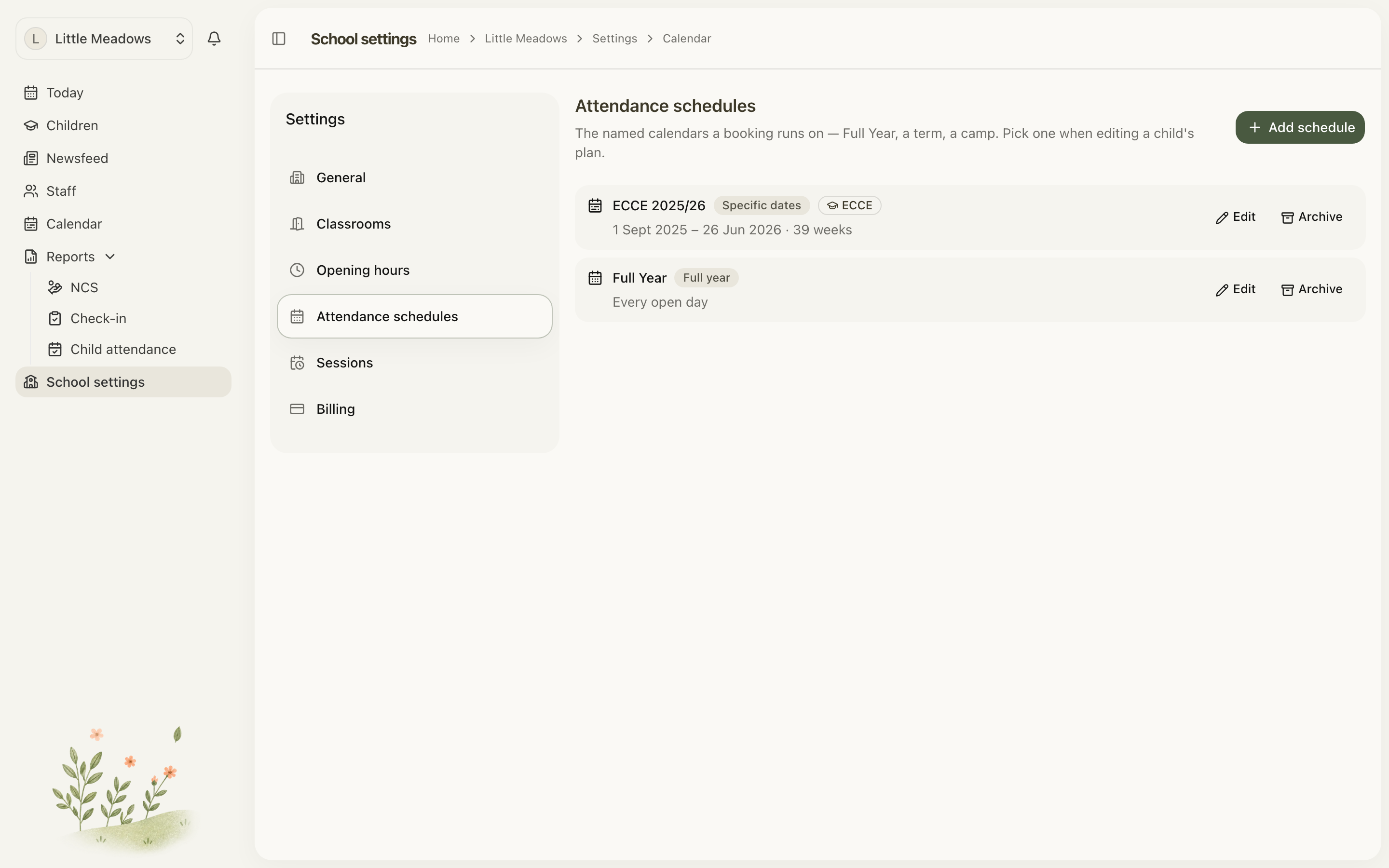
- Go to School settings → Calendar.
- Click Add schedule.
- Give it a name, such as ECCE 2025/2026.
- Set the type to Specific dates (a term or camp).
- Turn on ECCE programme schedule.
- Paint the weeks the programme runs across September to August. Weekends and closed weekdays are greyed out, so you can only paint the days you're open.
- Save.
Each September–August window you paint becomes a programme year. Meadow shows it as a row — for example 2025/2026 — with two figures:
- The attendance week count — derived from the weeks you painted. There's no 38- or 41-week setting; the count simply follows your painting.
- The national €/week capitation rate. You can set a Custom € override for a single year if you need to.
Note: Once children are registered to a schedule's ECCE years, you can no longer change its type or switch the ECCE toggle off. If the year is wrong, archive the schedule instead — its programme years pause and the children stop counting as ECCE-funded, and you can restore it any time.
Part 2 — Enrol each child
Enrolment happens one child at a time, from their profile. This record is Meadow's note of the child's Hive registration — it doesn't replace registering with Hive.
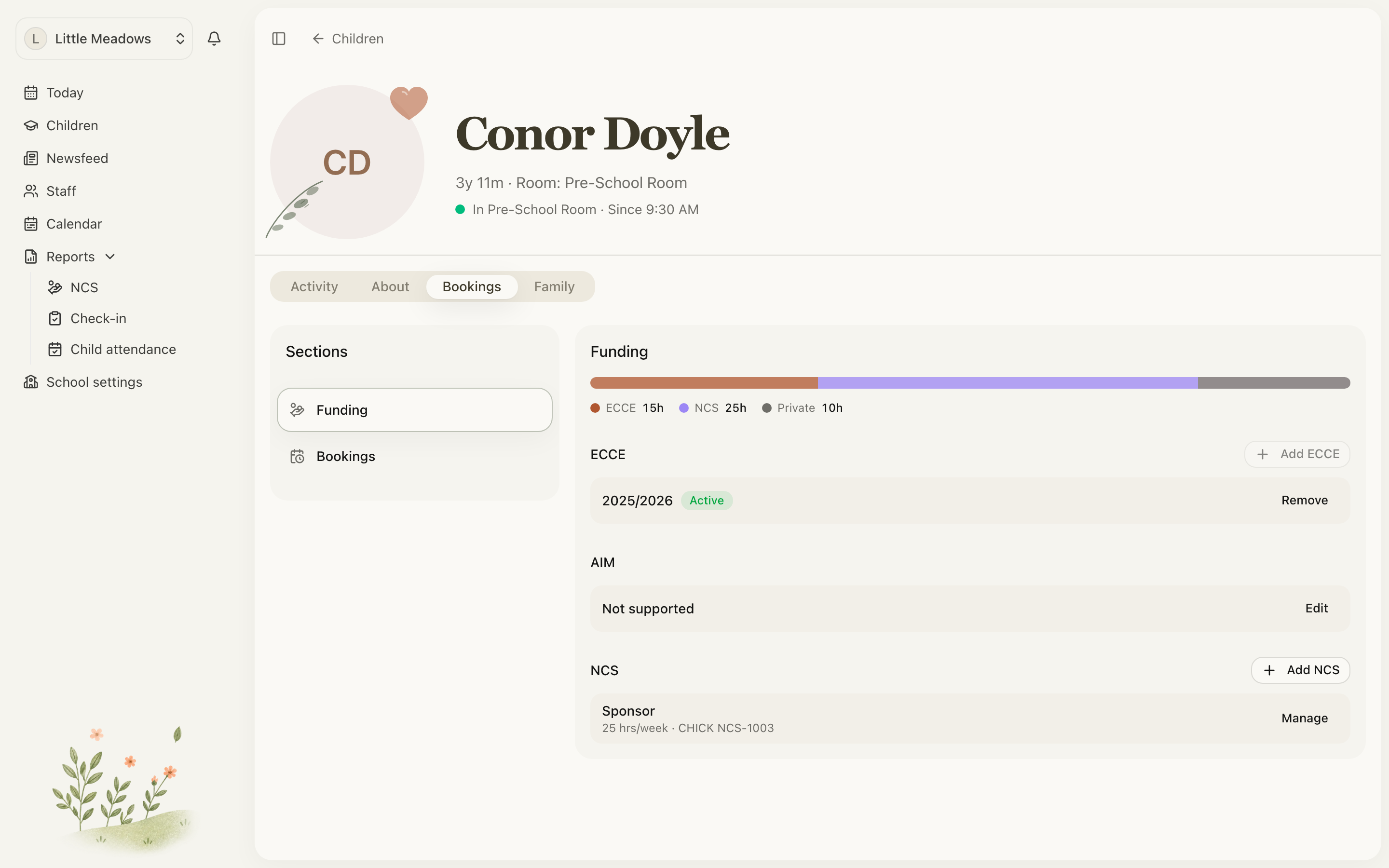
- Open the child's profile and go to the Bookings tab.
- In the left rail, choose Funding.
- Under ECCE, click Add ECCE.
- Pick the Programme year from the dropdown.
- Optionally add a Notes value, such as the Hive reference.
- Click Add ECCE. You'll see ECCE registration added.
That's it. There's no ECCE year-1/year-2 choice, and no start- or end-date rules to enter — the funding is worked out from the dates you painted in Part 1.
Tip: Each child can be registered once per programme year. If the Add ECCE button is disabled, the child is already registered for every active year.
How the funding flows through
ECCE funding is derived automatically. For any registered child, Meadow funds up to 3 hours per booked day, across up to 5 days — so up to 15 hours a week. On each booked day, the first 3 hours count toward ECCE and anything beyond that falls to NCS (if there's a valid award) or Private.
You'll see this on the child's funding breakdown as From the child's registration — up to 3 hours per booked day. These limits are national, so they aren't something you set.
The one thing to watch is the dates. ECCE only applies where the child's plan dates fall inside the programme year's painted weeks. If they fall outside it, Meadow warns you:
The child is ECCE-registered, but these dates fall outside the programme year — no hours will be ECCE-funded.
If you see that, line the plan's Start date and Last day up with the painted window, or check you painted the right weeks in Part 1.
Common questions
There's no "ECCE session" option when I build a plan — what am I missing? Nothing. ECCE isn't tied to a session type. Session types only carry a name and times. Funding is worked out from the child's ECCE registration and the painted programme weeks, not from anything you tag on the plan.
How much of a child's week does ECCE cover? Up to 3 hours on each booked day, across a maximum of 5 days — so up to 15 hours a week. The rest of each day is covered by NCS or paid privately.
Where does the attendance week count come from? From the weeks you paint on the ECCE programme schedule. There's no 38-week or 41-week dropdown — Meadow counts the weeks you painted and shows that figure, along with the national €/week rate you can override per year.
Why does Meadow say the dates fall outside the programme year? The child is registered for ECCE, but their booking plan runs on dates that aren't inside the painted weeks for that year. Adjust the plan's dates, or correct the weeks on the schedule, and the warning clears.