
Attendance
Track who's present with a live, accurate record of the day.
Attendance in Meadow keeps one simple promise: an honest, up-to-the-minute record of who's in your care. Every arrival, departure and room move is captured, and Meadow works out who's present right now from that history — so your room lists stay correct through the day and your records stay trustworthy when an inspector asks.
How attendance works
Each time you check a child in, check them out, or move them between rooms, Meadow saves that moment as an event. Events are never overwritten or deleted — they're added to a running history.
Meadow then reads that history to work out who's currently present. That's what fills your Today dashboard and every room roster, and it's what makes the day's counts accurate without anyone having to keep a separate tally.
Why this matters: because nothing is overwritten, you always have a reliable record of what happened and when — and who recorded it. If you need to fix a mistake, you correct it rather than erase it, and the original stays in the audit trail.
Where you take attendance
Staff can take attendance from a few places, depending on what's quickest:
- Today — your daily dashboard, showing how many children are checked in per room. Open a room from here to work through its roster.
- A room's page — the live roster for one room, with bulk actions for checking several children in, out, or moving them at once. (Staff only.)
- A child's profile — the Quick actions card on the Activity tab gives you check-in, check-out, move and absence actions for that one child.
- The Children list — find any child and check them in or out from there.
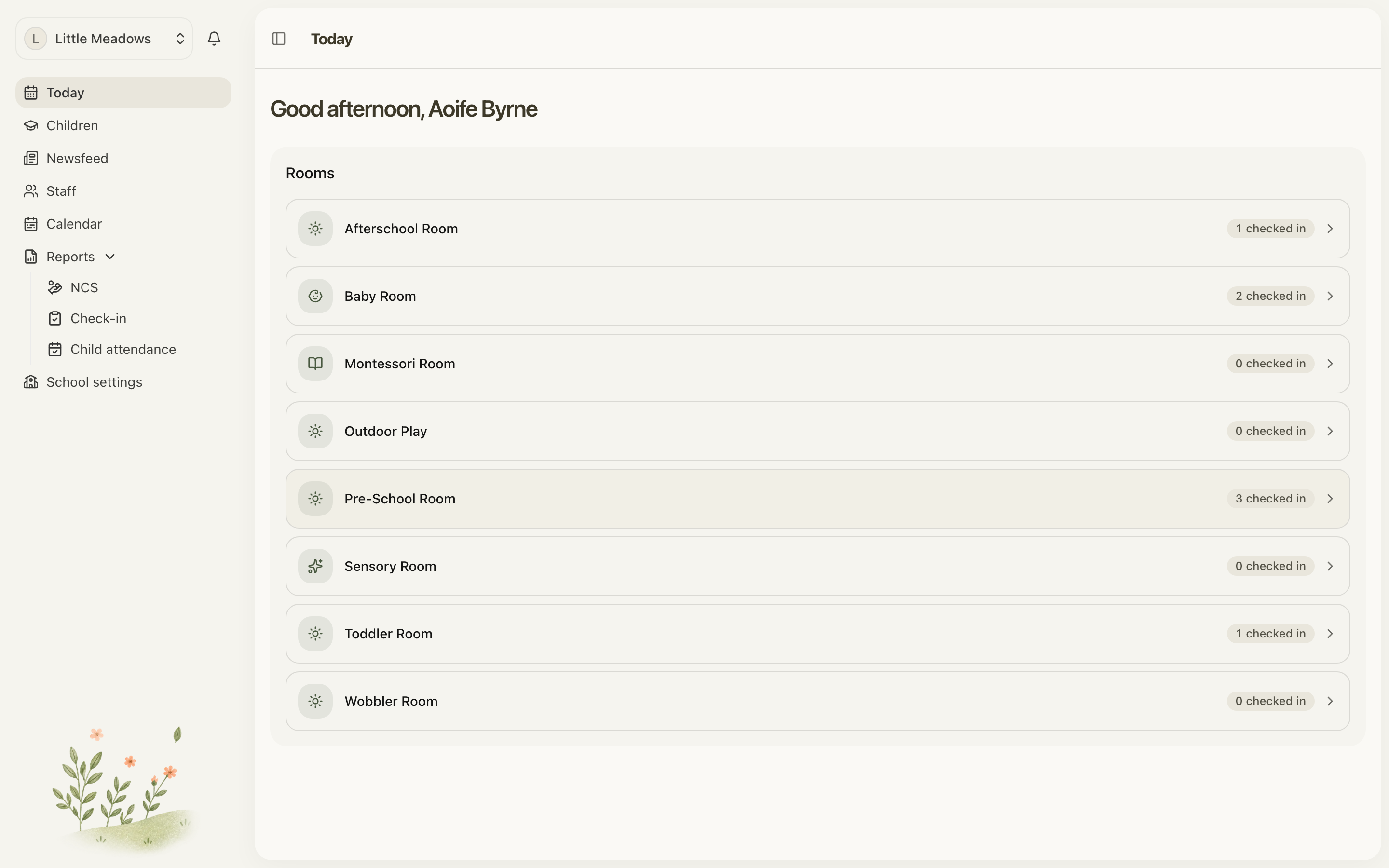
Note: parents and family. Today and the room pages are staff-only. Parents can still check their own children in and out — from the Children list or the child's profile — but they can't move children between rooms or use the bulk actions.
In this section
- Checking children in and out — arrivals, departures, room moves, and checking several children at once.
- Recording absences — logging when a child is out sick, on holiday, or away.
- Correcting attendance — fixing a wrong time or a missed sign-out, with the original kept in the audit trail.
Common questions
Can I set the time when I check a child in or out?
From the Children list or a child's profile, no — Meadow stamps the current time. Staff checking a child in or out from their day on a room's page get a Time control that reaches up to three hours back, for the check-in you couldn't record with both hands full. If a time is wrong beyond that, or someone forgot to sign a child out, you can adjust it afterwards. See Correcting attendance.
Can I track my staff's attendance — clocking the team in and out?
Not yet. For now, attendance covers children only. Recording your team's hours is something we're working on, and it isn't available in the app today.
Who can take attendance?
Owners, managers, senior practitioners and practitioners can take attendance for any child. Parents and family can check in and out only the children they're linked to, and only from the Children list or a child's profile.