
Record and renew NCS registrations
Keep CHICK awards, registration dates and agreed weekly hours up to date.
Checked against Meadow on 2026-10-12
NCS is the National Childcare Scheme. A CHICK identifies a child’s NCS registration. Owners and managers record the award and the hours registered for this setting.
Have the award and the agreed Hive registration details ready. The award’s maximum hours and the hours you register are different figures.
Add a registration
- Open Reports → NCS and select Create Registration.
- Choose the child and enter the CHICK Number.
- Enter the award’s hourly rate, maximum weekly hours, start date and end date.
- Set the Registration Start Date. It must be a Monday within the award period.
- Enter Term weeks (hours) and, if applicable, Holiday weeks (hours). Leave holiday weeks empty when there is no claim in those weeks.
- Save and check the child’s row.
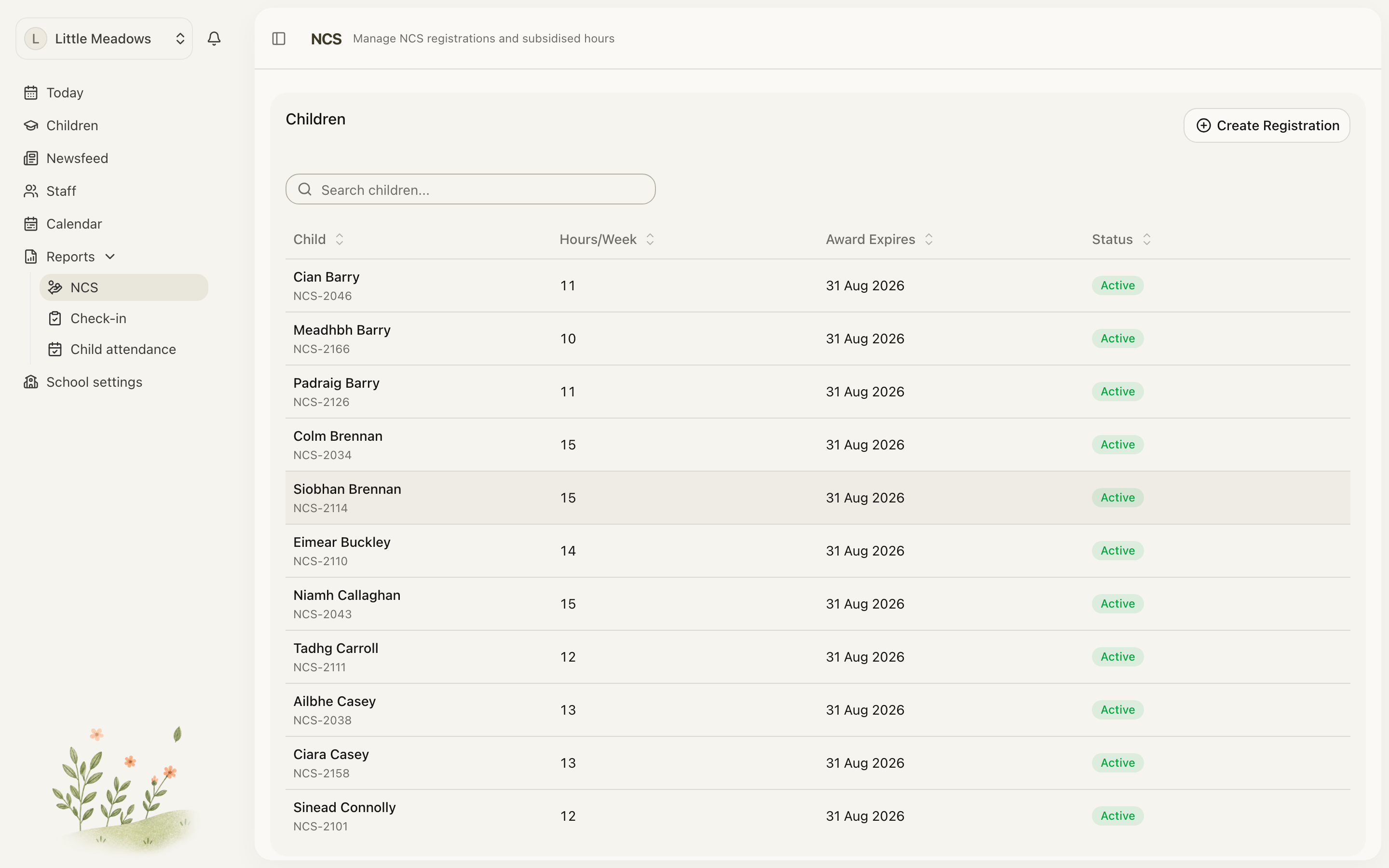
Open the full-size screenshot. Use your browser’s Back button to return to this guide.
Registered hours must stay within the award maximum. They are entered from the agreed registration; Meadow does not calculate them from the child’s schedule.
Read the status
- Starts: the first registration day is still ahead.
- Active: the registration has started and has not passed its last day.
- Expired: the award reached its end without an earlier registration end.
- Ended: the registration stopped earlier, including when a renewal took over.
The last day is the registration end date when one is set; otherwise it is the award end date.
Needs Action highlights unrenewed registrations ending in the next 30 days or expired in the last 30 days. A deliberately ended registration is not chased there.
Edit, end or renew
Open the registration’s actions. Use Edit to correct its details, End to record when it stops, and Renew to add the next CHICK with its new award details.
A renewal must start after the registration it renews; the old registration must end before the new one starts. Check both sets of dates after saving.
An edit can affect weeks already claimed. If Meadow warns about that, update the Hive as well. More than one valid CHICK can apply to a child, for example for separated parents; weekly comparisons add the applicable claims together.